Battery & vehicle scanner for EVs
Know the real health of any EV battery.
Plug in an OBD adapter, tap Analyze, and EV Vitals reads the high-voltage battery and key systems in under a minute — then hands you a clear, shop-branded PDF report for your customer.
What it does
Everything you need for a battery inspection
Built for EV shops, inspectors and used-car buyers. Plain-language results anyone can understand, backed by the numbers a technician needs.
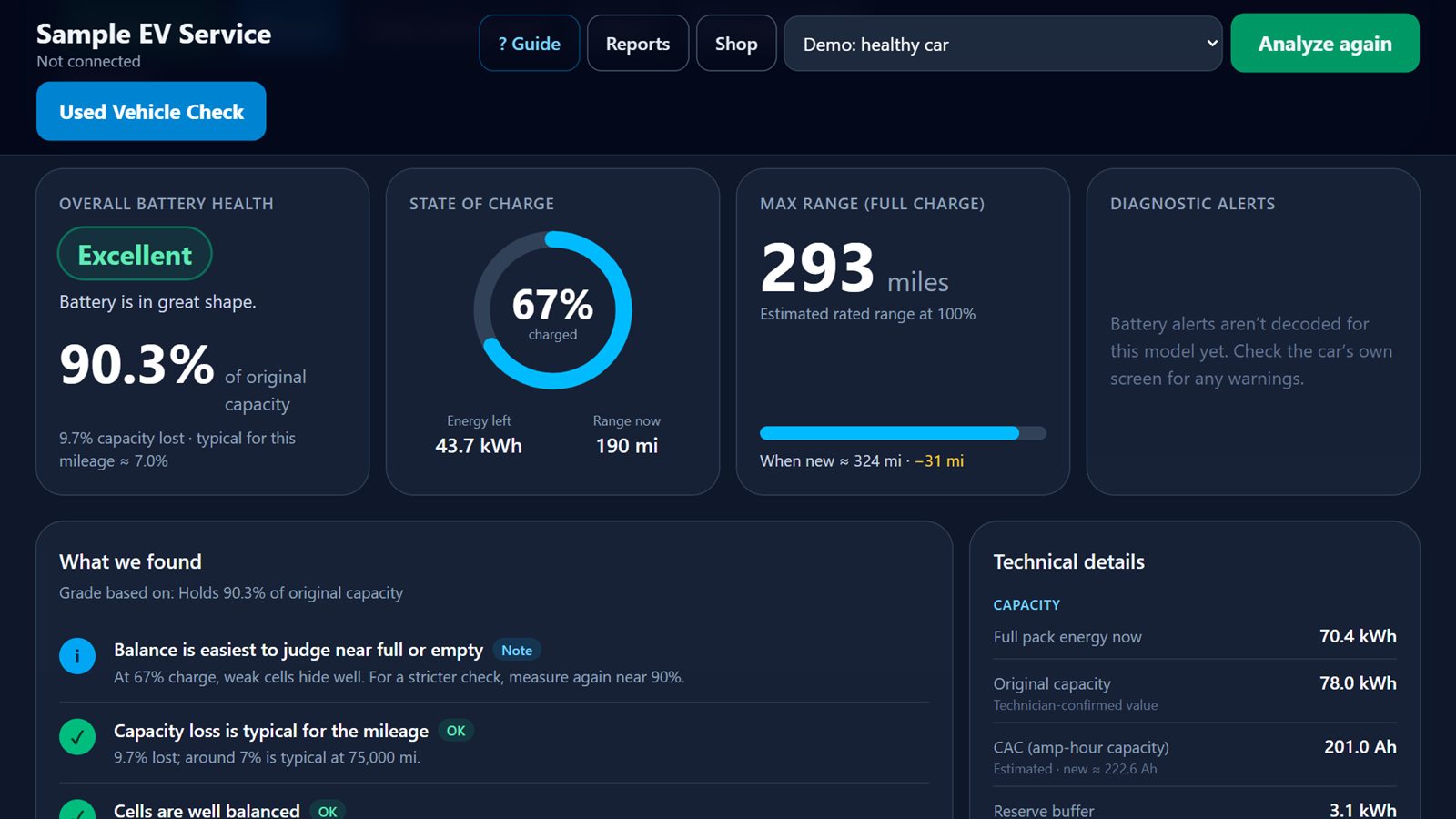
Battery health & grade
State of health against the original capacity, usable energy, estimated range and an overall grade — compared with what's typical for the car's age and mileage.
Cell balance & cell map
Every cell group's voltage on one map. Weak or out-of-balance groups stand out immediately, with temperatures across the pack.
Load test
An optional rest-versus-load test estimates resistance per cell group, catching high-resistance cells a resting check can miss.
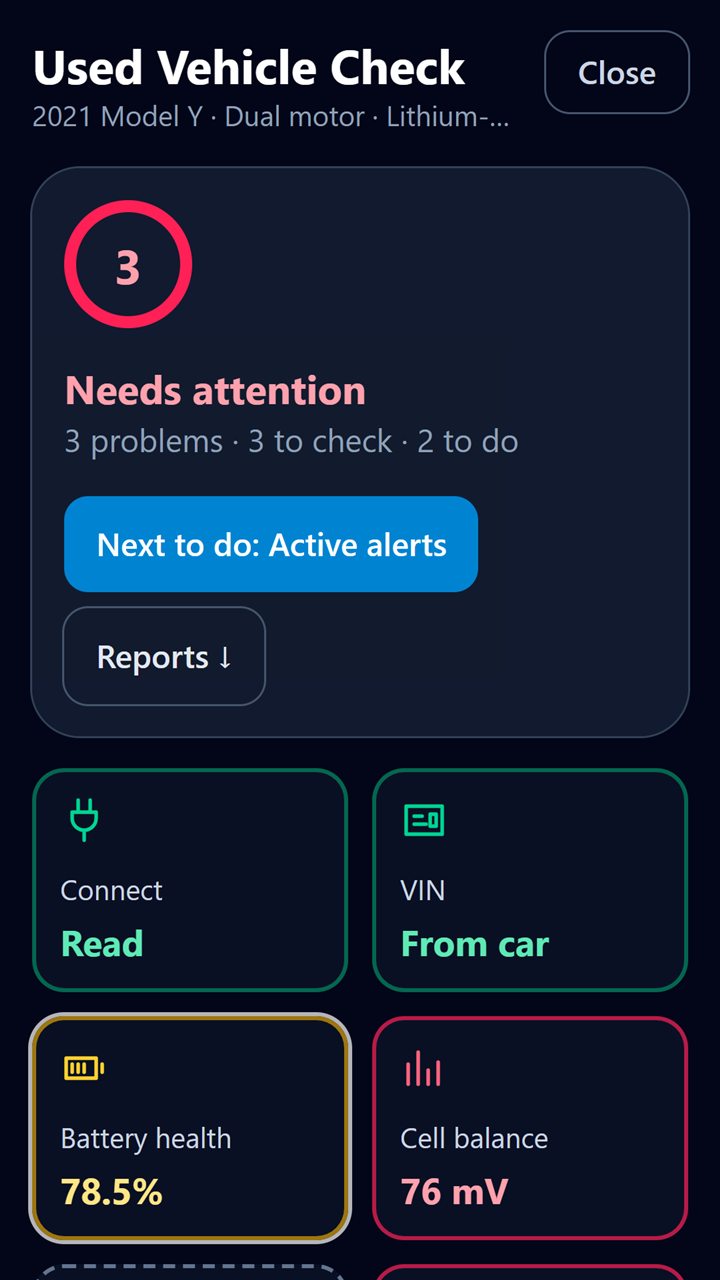
Used Vehicle Check
A pre-purchase scorecard: VIN match, battery, balance, alerts, cooling, mileage consistency, charging history and service records — with a separate Used Vehicle Report.
Branded PDF reports
Your shop name and logo on a professional report. View it in the app, print it, share it or email it to the customer in one tap.
Safe by design
EV Vitals only listens to the data the car already broadcasts. It never sends commands, never clears codes and never changes settings.
Screenshots
See it in action
Screenshots use the app's built-in demo vehicles; shop and customer names are samples.
Platforms
Use the device you already have
Android phones & tablets
Android 8 or newer. Connects to classic Bluetooth and Bluetooth LE adapters.
Coming soon to Google PlayiPhone & iPad
Works with the OBDLink MX+, vLinker FS and Bluetooth LE adapters.
Coming soon to the App StoreWindows laptops
Runs in Chrome or Edge — no install. Connects over a Bluetooth COM port, USB or Bluetooth LE.
Coming soonVehicles
Supported cars
EV Vitals currently supports Tesla vehicles. More makes are planned.
| Model | Status | Notes |
|---|---|---|
| Model 3 | Supported | Verified on a 2022 Long Range. |
| Model S | Supported | 2012–2020, verified on a 2016 P90D. Nosecone and facelift 2016 cars need different cables. |
| Model Y | Expected | Shares the Model 3 battery data; not yet verified on a car. |
| Model X | Expected | 2016–2020 shares the Model S data; not yet verified on a car. |
Hardware
What you need
- A Bluetooth OBD adapter. Recommended: OBDLink MX+ or vLinker FS. Bluetooth LE adapters such as the OBDLink CX also work.
- A vehicle-specific diagnostic cable. Teslas need a model- and year-specific harness to reach the battery data. The in-app Quick start shows where it plugs in.
- The car awake and in Park. Open a door or turn on climate so the battery system is broadcasting.
FAQ
Questions
Is it safe to use on a customer's car?
Yes. EV Vitals is listen-only: it reads the data the car already broadcasts and refuses to send anything that could change the vehicle. It never clears codes, resets anything or writes settings.
How long does an inspection take?
A battery analysis usually takes 10–20 seconds once the adapter is connected. The full Used Vehicle Check, including the technician's checks, takes a few minutes.
Do I need an account or internet connection?
No. There's no sign-up, and inspections run entirely on your device. You only need a connection to email or share a report.
Where are my reports stored?
On your device only. Saved inspections and your shop details never leave the device unless you share or email a report yourself. See the privacy policy.
Which adapter should I buy?
The OBDLink MX+ and vLinker FS work on Android, iPhone, iPad and Windows. You'll also need the diagnostic cable for your car's model and year.
Can it read fault codes?
EV Vitals reports battery-related alerts the car broadcasts where they can be decoded, and the Used Vehicle Check records anything shown on the car's screen. It doesn't request or clear diagnostic trouble codes, because that would mean sending commands to the car.
Get EV Vitals
One purchase, no subscription. Available soon on the App Store and Google Play.